
 Cinch Audio Recorder Ultimate
Turn Streaming into Owning
Cinch Audio Recorder makes it easy to save streaming music as real audio files you can keep. Just click Record, play your music, and Cinch captures the sound in the background, splits tracks automatically, recognizes song information, and saves cover art and lyrics when available. It is designed for a simple, dependable recording experience on Windows 10/11 and macOS 13.5 or later.
- 1-Click Recording — No complex settings. Just click Record and Play
- Lossless Quality — Save as MP3 (320kbps) or lossless WAV, FLAC, ALAC
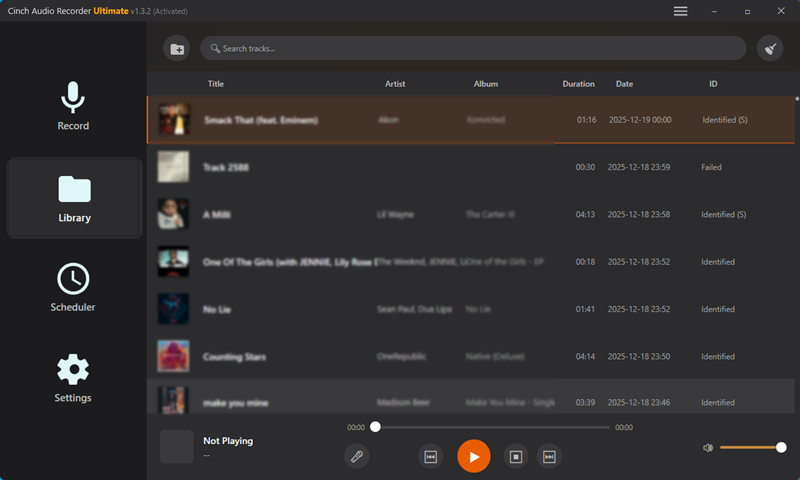
- Auto Tagging — Automatically adds Title, Artist, Album, Cover Art & Lyrics
- Silent Recording — Record quietly without disturbing anyone
Powerful Features
Everything you need to build your offline music library
1-Click Recording
No complex settings. Just click the Record button and play your music. Cinch automatically detects and captures the audio stream.
Studio-Grade Quality
Records at high-fidelity 24bit/48kHz sample rate. Save as MP3 (up to 320kbps) or lossless WAV, ALAC, AIFF, FLAC for perfect preservation.
Silent Recording (CAC Technology)
Records directly from sound card's raw audio data. Perfect for quiet environments - you can mute your computer while recording.
Auto ID3 Tagging
Automatically fetches and embeds Title, Artist, Album, and Cover Art. No more "Track 1, Track 2" - your library stays perfectly organized.
Lyrics Support
Automatically finds and saves lyrics right into your music files. Sing along with embedded lyrics in your favorite songs.
Smart Ad Filter
Automatically removes annoying ads between songs from free streaming accounts, keeping only the music you love.
Scheduled Recording
Set timer recording to automatically capture live streams, radio shows, or limited-time audio content. Never miss a beat.
Ringtone Maker
Cut your favorite part of any song to create custom ringtones for your iPhone. Express your unique style.
Batch Metadata Editor
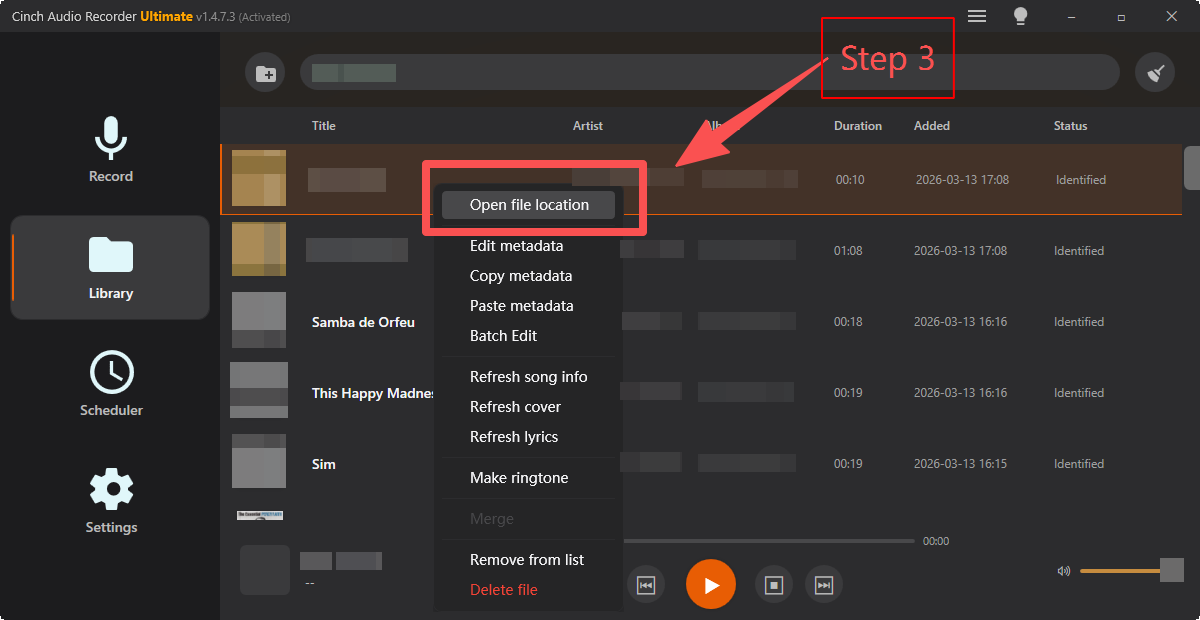
Edit ID3 tags for multiple songs at once with copy & paste. Update artist, album, genre for entire collections quickly.
Works With All Your Favorite Services
Whether you use the web player or desktop app, Cinch works seamlessly in the background
How It Works
Three simple steps to build your offline music library
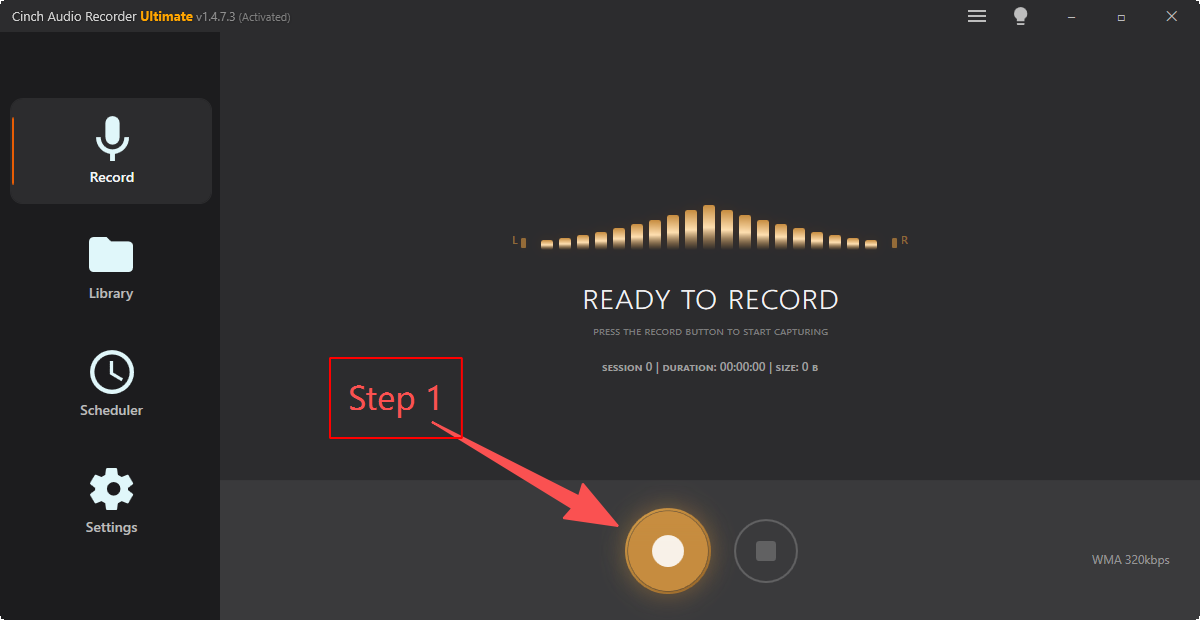
Start Recording
Launch Cinch Audio Recorder and click the Record button. Play your favorite music on Spotify, Apple Music, YouTube Music, or any streaming service.
- One-click recording start
- No complex settings required
- Works with any audio source
Auto Process
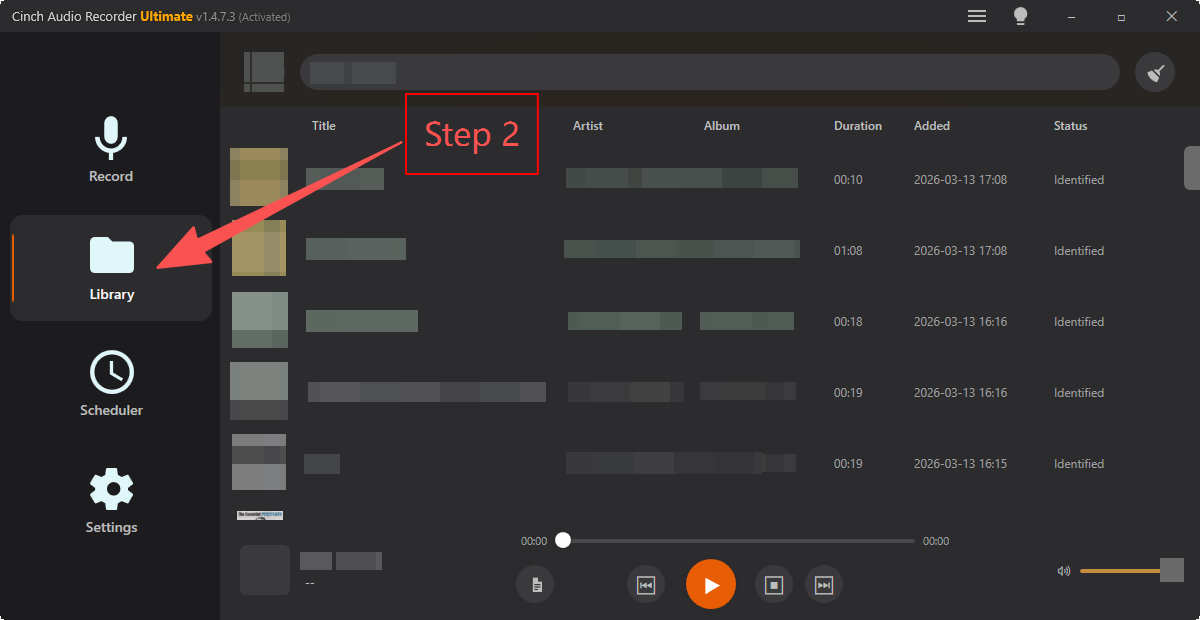
Cinch automatically splits songs, identifies metadata (artist, album, title), fetches cover art and lyrics, and filters out ads - all while recording.
- Automatic song detection
- ID3 tag recognition
- Cover art & lyrics included
Enjoy Your Music
Choose your preferred format - MP3 for compatibility, or lossless WAV/FLAC/ALAC for audiophile quality. Your music library is ready to enjoy offline, forever.
- MP3 up to 320kbps
- Lossless format support
- Perfect metadata organization
What Users Say
Trusted by music lovers worldwide
"This software is amazing! I can easily save all my playlists with perfect quality and automatic tag recognition. The lyrics feature is a great bonus. Highly recommend to all music lovers!"
"Clean interface, simple operation. The silent recording feature is my favorite - works great in the office without disturbing colleagues. The ad filter saves so much time!"
"Tried many similar tools, Cinch is the most stable. Auto tag recognition accuracy is impressive, and the batch metadata editor saves tons of organization time. Would love to see Linux support."
System Requirements
Minimum system requirements to run Cinch Audio Recorder
Windows Version
- OS: Windows 10 or Windows 11 (64-bit)
- Processor: 1GHz processor or above
- Memory: 1GB RAM or higher
- Storage: 200MB free hard disk space
- Internet: Live connection required for activation
- Sound Card: Windows-compatible sound card
Mac Version
- OS: macOS 13.5 or later
- Processor: Apple Silicon or supported Intel Mac
- Memory: 2GB RAM or higher
- Storage: 200MB free hard disk space
- Internet: Live connection required for activation
- Audio: Built-in audio output device
Turn Streaming into Owning
Start building your offline music library today. Try free (9 songs), then unlock unlimited recording with a lifetime license.