Quick Summary
Deemix ARL tokens keep expiring? Skip the guesswork. We compare 7 music download alternatives by cost, quality, and legal risk—whether you want FLAC files, free recording, or safe offline streaming.
Most readers here want one of three things: permanent FLAC files from a paid service, a cheap way to keep a few tracks offline, or a fully above-board option that will not drag their account into a gray zone.
That is why these alternatives are grouped by tradeoff, not just by feature list. Some are really archive tools. Some are just convenient offline listening. A few only make sense if you already accept the Terms-of-Service risk.
Why Deemix Stopped Working (Or Did It?)
Deemix didn’t vanish overnight. The latest stable version (v2.6.4) dropped in December 2024, and the repository still exists. What changed is the day-to-day experience.
What actually changed:
- ARL tokens expire faster: Before 2024, your Deezer authentication cookie lasted about 6 months. Now it’s 3-4 months. Change your password? All tokens die immediately.
- Free tier quality cap: Deezer free accounts max out at 128kbps MP3 through Deemix. That’s noticeably worse than 320kbps or FLAC.
- Slower updates: The main developer reduced activity in late 2024. Community forks like deemixkit exist, but nothing matches the original pace.
- Terms of Service risk: Using ARL tokens in third-party apps violates Deezer’s Terms of Service. Account bans are possible, though actual ban rates remain unclear.
Community feedback from r/musichoarder sums it up: *”Deemix still works, but it’s more hassle every few months”* and *”Token expires, I have to re-extract from browser cookies again. Getting tired of this.”*
So if Deemix “stopped working” for you, it’s probably one of three things: an expired token, a configuration issue, or you’re on a free Deezer account hitting the quality wall. The tool itself hasn’t been killed, but the experience has degraded enough that looking for alternatives makes sense.
What to Look for in a Deemix Alternative
The main mistake here is comparing tools that do very different jobs. A downloader, a recorder, and an official offline mode can all leave you with music available offline, but they do not solve the same ownership or quality problem.
Audio Quality(快速参考)
- 128kbps MP3:免费 Deezer 账户上限,有明显压缩感,适合手机外放
- 256-320kbps MP3/AAC:Spotify Premium 标准音质,大多数人听不出问题
- FLAC (无损):25-40MB/首,发烧友收藏首选,需好耳机才能听出差别
*一句话判断:用 AirPods/普通耳机 → 320kbps 足够;用 HiFi 耳机或音箱 → 选 FLAC*
Legality and Risk
- Fully legal: Official streaming apps with offline mode. You’re renting access, not owning files.
- Gray area: Downloaders using your paid subscription credentials. Violates Terms of Service but widely used.
- Recording tools: Legal to record audio playing on your system, but may violate platform Terms of Service.
- Purchasing music: Completely legal ownership. Most expensive per-track.
Stability
- Official apps: Rock solid. Backed by companies with legal rights.
- Active open-source projects: Generally stable, but API changes can break things overnight.
- Third-party commercial tools: Varies wildly. Some are reputable, others disappear after you pay.
- Telegram bots and random downloaders: High failure rate. Expect interruptions and sudden shutdowns.
Cost
- Free: Usually means lower quality, more hassle, or higher risk.
- Subscription ($10-15/month): Access to millions of tracks. Stop paying, lose access.
- Per-album purchase ($10-20): Own it forever. Adds up quickly for large libraries.
Technical Setup
- GUI apps: Point and click. Best for non-technical users.
- Command-line tools: More powerful, steeper learning curve.
- Browser extensions: Convenient but limited functionality.
Keep these dimensions in mind as we go through the alternatives. The “best” tool depends entirely on which factors matter most to you.
Top 7 Deemix Alternatives in 2025
1. streamrip (Open-Source Multi-Platform Downloader)
What it is: A command-line music downloader supporting Qobuz, Tidal, Deezer, and SoundCloud from a single tool. Currently the most actively maintained open-source project in this space (4.4k GitHub stars).
Supported platforms: Qobuz, Tidal, Deezer, SoundCloud
Maximum quality: 24-bit/192kHz FLAC (depends on source subscription)
Cost: Free software, but requires paid subscription to source platforms
Best for: Users with Qobuz/Tidal/Deezer subscriptions who want permanent FLAC files and can use command-line tools
For paid subscribers comfortable with terminals, streamrip is the current community favorite. Just be ready to use a terminal.
2. qobuz-dl (Best for Pure Qobuz Users)
What it is: A downloader focused only on Qobuz. Less flexible than streamrip, but cleaner if Qobuz is your entire workflow.
Supported platforms: Qobuz only
Maximum quality: 24-bit/192kHz FLAC
Cost: Free software, requires Qobuz subscription
Best for: Qobuz subscribers who want the simplest possible command-line downloader for that platform
If Qobuz is your primary source, this is more focused than streamrip. If you jump between services, streamrip makes more sense.
3. Official Streaming Offline Modes (Spotify, Apple Music, YouTube Music)
What it is: The fully legal route. Use the official app’s built-in offline mode instead of trying to own files.
Supported platforms: Respective platform only (Spotify, Apple Music, or YouTube Music)
Maximum quality: Usually 256-320kbps AAC/MP3 equivalent, but DRM-protected
Cost: Monthly subscription
Best for: People who mainly want stable offline listening on their phone or tablet and do not need permanent files
If offline listening—not ownership—is your goal, this is the easiest answer. You lose files when the subscription ends, but you also lose most of the hassle.
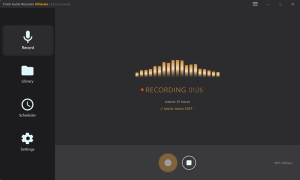
4. Audacity or Similar Recording Tools
What it is: Record the audio in real time while it plays. Works with almost anything, but trades convenience for time.
Supported platforms: Any source you can play through your system audio
Maximum quality: Limited by source stream; can save as WAV/FLAC/MP3 after recording
Cost: Free (Audacity) or paid (commercial recorders)
Best for: Free-tier users who only need a handful of tracks and accept that recording one album takes album-length time
Free and workable, but only practical at small scale. It solves the price problem by charging you in time instead.
5. kmille/deezer-downloader (GUI-Friendly Deezer Option)
What it is: A simpler Deezer-focused downloader with a graphical interface. Less flexible than Deemix, but friendlier for users who hate terminals.
Supported platforms: Deezer only
Maximum quality: Depends on account type and source availability
Cost: Free
Best for: Deezer users who still want a GUI and are willing to accept the same Terms-of-Service risk that comes with token-based tools
If you still want to stay close to the old Deemix habit without using the command line, this is a reasonable bridge. Just remember it lives in the same gray area.
6. Telegram Bots and Other Instant Downloaders
What it is: Mobile-first bots or quick download tools that can grab tracks fast when they are online and functional.
Supported platforms: Usually mobile messaging apps or web wrappers
Maximum quality: Highly inconsistent
Cost: Usually free
Best for: Casual users grabbing one or two tracks on the go who can tolerate instability
Convenient for a track or two on your phone. Not a foundation for a serious library.
7. Buying Music Outright (Qobuz Store, Bandcamp, 7digital)
What it is: Pay once, download once, keep the file forever.
Supported platforms: Depends on the store, but files are usually standard FLAC/MP3/AAC
Maximum quality: Often FLAC or high-bitrate MP3
Cost: Highest per album or per track
Best for: People who want legal ownership with no account-token drama and are willing to pay per release
If you can afford it and want zero account-risk drama, this is the cleanest route. Expensive, but genuinely yours.
Legal vs. Gray Area: Understanding the Risks
There are three different risk buckets here, and readers often blur them together.
- Official offline mode: legal and stable, but files stay locked inside the app.
- Token-based downloaders: often technically effective, but they violate service terms and could create account risk.
- Recording tools: usually less tied to account access, but still sit in a murky place depending on local law and platform policy.
If your top priority is staying fully clean, use official offline mode or buy the music. If your top priority is permanent files, you are almost always stepping into some mix of technical friction, policy risk, or both.
How to Choose the Right Alternative for Your Use Case
Scenario 1: “I already pay for Spotify or Apple Music and just want offline playback”
→ Use the official offline mode. It is stable, legal, and simple. Do not overcomplicate this.
Scenario 2: “I want FLAC files and already pay for Qobuz or Tidal”
→ Get a Qobuz or Tidal HiFi subscription, use streamrip or qobuz-dl. You’ll get the highest quality with an actively maintained tool. Accept the Terms of Service gray area.
Scenario 3: “I’m on free tiers and can’t afford subscriptions”
→ Audacity for recording, or Telegram bots for quick downloads. Quality won’t be great, but it’s free. Consider whether saving $10/month is worth the hassle and quality loss.
Scenario 4: “I want zero legal risk, period”
→ Purchase music from Qobuz Store, Bandcamp, or 7digital. Expensive for large libraries, but completely clean. Or use official streaming offline modes and accept the subscription dependency.
Scenario 5: “I use multiple platforms (Deezer + Tidal + Qobuz)”
→ streamrip handles all three from one tool. More setup initially, but worth it for multi-platform users.
Scenario 6: “I’m not technical and just want something that works”
→ Official streaming offline modes or kmille/deezer-downloader (if you use Deezer). Avoid command-line tools unless you’re willing to learn.
Decision summary:
| Your Priority | Best Option |
|---|---|
| Convenience | Spotify/Apple Music offline |
| Quality (FLAC) | Qobuz + qobuz-dl or streamrip |
| Free | Audacity recording or Telegram bots |
| Legal safety | Purchase from Qobuz Store/Bandcamp |
| Multi-platform | streamrip |
| Non-technical | Official apps or Deezer GUI downloader |
FAQ
Is Deemix completely dead in 2025?
No. Deemix can still work with a valid ARL token, but it is less convenient than it used to be.
Quick check for token expiry:
- Open Deemix and see whether it shows an “Invalid ARL” error or refuses to log in
- Sign into Deezer in your browser, open developer tools, and look for the `arl` cookie
- Paste that value into Deemix settings
- If your token is a few months old, expiry is a very plausible cause
The latest stable release, v2.6.4 from December 2024, is still the main reference point. A lot of “Deemix is dead” reports are really token-expiry problems or setup failures rather than the software disappearing altogether.
Will I get banned from Deezer for using Deemix or alternatives?
Using ARL tokens in third-party apps violates Deezer’s Terms of Service, and account termination is technically possible. However, actual ban rates are not publicly known. Community reports from r/musichoarder suggest individual users have used Deemix for months without issues, but this is anecdotal. Risk increases with large-scale downloading.
Can I download Spotify music like Deemix downloads from Deezer?
No. Spotify uses stricter DRM and doesn’t expose ARL-like tokens. Tools claiming to download Spotify directly either: (1) find matches on YouTube instead (spotDL), resulting in lower quality, or (2) record the audio stream in real-time. For Spotify users, official offline mode is the only stable option.
What’s the best free alternative to Deemix?
For true downloads: streamrip (free software, but requires paid subscription to Qobuz/Tidal/Deezer). For completely free: Audacity recording (time-consuming, quality loss) or Telegram bots (unreliable, quality varies). There’s no tool that offers free, high-quality, and legal downloads simultaneously.
How do I get FLAC quality without Deemix?
You need a paid subscription to Qobuz, Tidal HiFi, or Deezer HiFi, plus a downloader like streamrip or qobuz-dl. Free sources don’t offer true FLAC. Expect file sizes of 25-40MB per track for FLAC, compared to 8-12MB for 320kbps MP3.
Where to Start
Start with the ownership question, not the tool list.
If you want files you can keep, the shortest serious path is either Qobuz plus a downloader like streamrip or qobuz-dl, or simply buying the albums that matter most. If you only need music for flights, trains, or bad mobile signal, the official offline mode in the service you already pay for is usually the saner move.
Free-only readers still have options, but they are mostly time-for-convenience trades. Audacity works. Telegram bots sometimes work. Neither feels like old Deemix.
That is the real takeaway: Deemix used to sit in a rare middle ground of convenience, ownership, and decent quality. Most replacements force you to give up one of those three. Once you decide which sacrifice you can tolerate, the right alternative becomes much easier to spot.
Sources
- Deemix.info – Deemix Download Guide 2025 (https://deemix.info/)
- Deemix ARL Token Guide (https://deemix.info/arl-deemix/)
- GitHub – streamrip (https://github.com/nathom/streamrip)
- GitHub – qobuz-dl (https://github.com/vitiko98/qobuz-dl)
- GitHub – kmille/deezer-downloader (https://github.com/kmille/deezer-downloader)
- Deezer Terms of Service (https://www.deezer.com/en/legal/cgu)
- Reddit r/musichoarder – Various discussions on Deemix alternatives (2024-2025)
- Reddit r/deemix – Alternatives to deemix discussions
- fre:ac Audio Converter (https://www.freac.org/)